
The page tree is the hierarchical navigation for the entire knowledge base. It lives in the left sidebar and is always accessible when working in KB.
Tree Structure
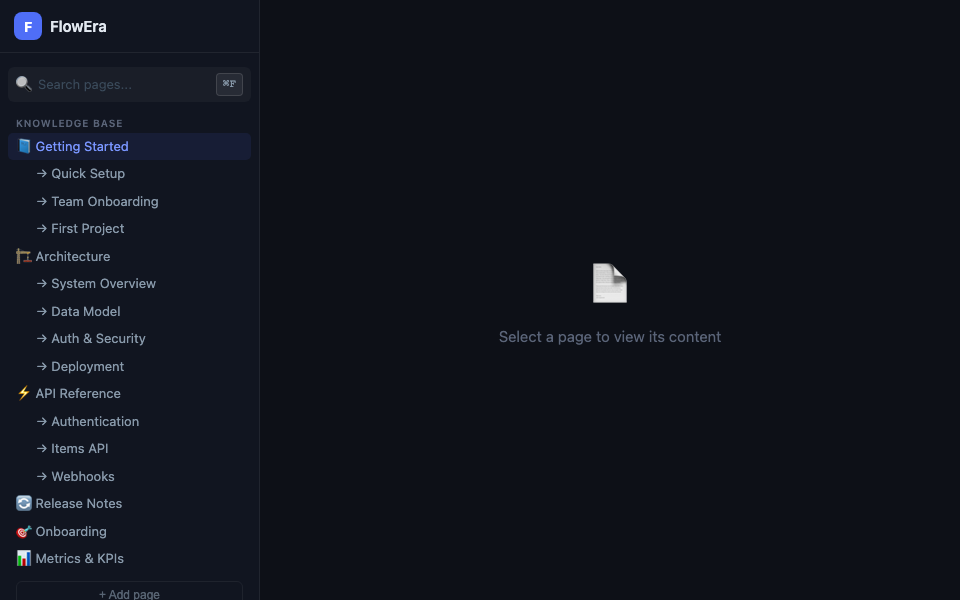
Pages are organized into a tree with unlimited nesting:
📘 Getting Started          ← root page
  → Quick Setup             ← child page
  → Team Onboarding
  → First Project
🏗️ Architecture
  → System Overview
  → Data Model
    → Tables reference      ← 3rd level
Recommended nesting depth: no more than 3–4 levels. Deeper hierarchies make navigation harder.
Creating a Page
Three ways to create a new page:
- + New page button in the topbar — creates at the top level
- + button on hover over any tree item — creates a child page
/enterat the end of an article — creates the next page at the same level
Moving Pages
Drag a page in the tree to change its position:
- Drag onto another page → nest it as a child
- Drag between pages → reorder
- Drag to empty space → move to the top level
Renaming
Double-click a page name in the tree → editable input field. Or press F2 on the selected item.
Deleting and Archiving
Right-click a page in the tree:
- Archive — hides the page from navigation without deleting it. Available in Archived Pages.
- Delete — permanently removes the page along with all child pages.
Before deletion, the system shows a warning with the number of child pages that will also be deleted.
Searching the Tree
The search field at the top of the sidebar searches page titles in real time. For full-text search across article content, use global search (⌘K).